


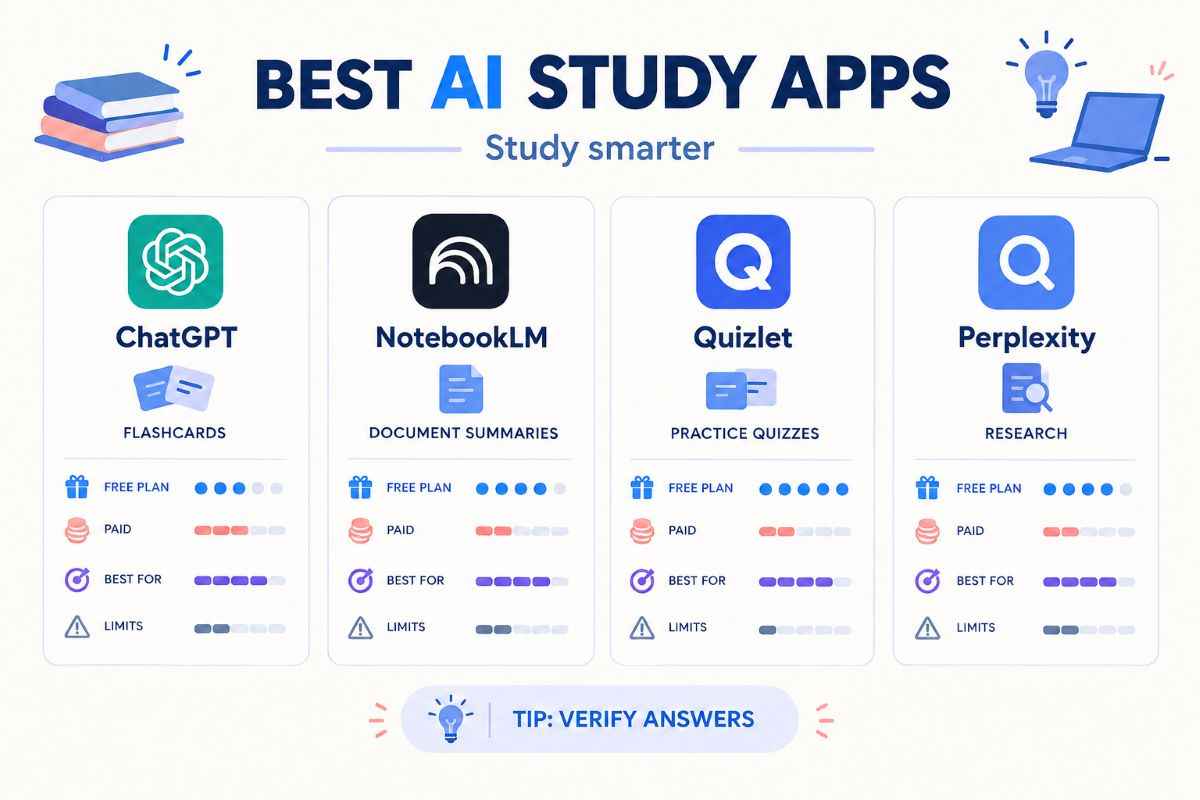
The best AI study apps for students can turn lecture notes into revision material, explain difficult concepts, generate practice questions and help improve written assignments. But no single app does everything equally well. Some are better for learning from your own notes, while others focus on tutoring, research, flashcards or writing feedback.
For most students, a sensible starting point is to combine one general AI tutor with a tool for organising course materials and a flashcard app for revision. You may not need a paid subscription at all.
This guide compares six useful options for 2026, including their main features, pricing, limitations and the types of students who may benefit most.
Table of Contents
Best AI Study Apps for Students at a Glance
| App | Best for | Pricing |
|---|---|---|
| ChatGPT Study Mode | Explanations and guided practice | Free access; paid plans available |
| NotebookLM | Studying from your own documents | Free access; usage limits may apply |
| Quizlet | Flashcards and practice tests | Free plan; paid plans |
| Perplexity | Research and finding sources | Free plan; Education Pro at $10/month with verification |
| Grammarly | Writing and grammar feedback | Free plan; Pro listed at $12/month |
| Anki | Long-term memorisation | Free desktop version and AnkiWeb; mobile pricing varies |
Features, subscription limits and prices can change. The figures above reflect the providers’ published information available at the time of research and do not guarantee the price offered in every country. ChatGPT, Quizlet, Perplexity, Grammarly and AnkiWeb provide further details.
6 Best AI Study Apps for Students
1. ChatGPT Study Mode — Best for Understanding Difficult Topics
ChatGPT is useful when a textbook explanation is confusing, or you need to work through a problem step by step. Its Study Mode is designed to guide learning through questions, explanations and checks of understanding rather than simply returning a final answer. It is available across ChatGPT plans on the web and mobile apps.
Key features
- Step-by-step explanations of concepts and problems
- Guided questions that help you work through an answer
- Practice questions and flashcard-style revision
- Help with uploaded notes, worksheets, images and PDFs when file uploads are available
Pricing: Study Mode is available on the free plan, while paid ChatGPT plans offer different limits and features.
Limitations: ChatGPT can still produce incorrect explanations, calculations or facts. Its answers should not replace your textbook, your teacher’s guidance, or other sources. It may also give away an answer when you would learn more by solving the problem yourself.
Best for: Students who need explanations, homework guidance or an interactive study partner.
Tip: Ask it to give you hints first, then let you attempt the question before requesting the full explanation.
2. NotebookLM — Best for Studying Your Own Notes
NotebookLM is particularly useful when you already have course materials but need a better way to revise them. You can add sources such as lecture notes, PDFs and research papers, then ask questions about the material.
It can also generate study guides, flashcards, quizzes and Audio Overviews from your sources. Google explains that its generated flashcards and quizzes are grounded in the supplied documents and can point back to the original material.
Key features
- Questions and answers based on uploaded sources
- Study guides and summaries
- Flashcards and interactive quizzes
- Audio summaries for reviewing material while away from your desk
Pricing: A free version is available. Paid Google AI plans may offer higher usage limits or additional capabilities, depending on the plan and region.
Limitations: NotebookLM is only as useful as the sources you give it. Missing lecture notes, poor-quality scans or outdated documents can affect its answers. Source-based answers also do not guarantee that the original material is correct.
Best for: University students, researchers and anyone revising from several documents.
Tip: Upload the relevant lecture notes and reading material for one topic. Ask for a study guide, then use the quiz feature to check what you can recall without looking at your notes.
3. Quizlet — Best for Flashcards and Test Preparation
Quizlet is built around active revision. Students can create or use flashcard sets, practise definitions and work through different study activities. Its paid plans add features such as more practice tests, Learn activities and access to textbook solutions.
Key features
- Digital flashcards for definitions, terms and concepts
- Practice questions and test-style revision
- Study sets created by users or generated from learning materials
- Paid study tools and textbook solutions, subject to plan limits
Pricing: Quizlet offers a free account. Its US pricing page lists Quizlet Plus at $35.99 per year and Quizlet Plus Unlimited at $44.99 per year; monthly and regional offers may differ.
Limitations: Not every flashcard set is accurate or well written. Some premium features have usage limits, and repeatedly recognising a correct answer is not the same as being able to explain it independently.
Best for: School and university students who need to memorise vocabulary, dates, formulas, definitions or other examinable facts.
Tip: Turn each important idea into a question. Instead of memorising a paragraph about photosynthesis, create a card asking you to explain the process in your own words.
4. Perplexity — Best for Research and Finding Sources
Perplexity is an AI-powered search tool that provides answers alongside references to online sources. It can help students explore unfamiliar subjects, identify relevant articles and find material to investigate further.
Its free plan includes basic searches, limited advanced searches and limited file uploads. Perplexity also lists an Education Pro plan at $10 per month for verified students and educators.
Key features
- Web-based answers with source links
- Research across multiple websites
- Follow-up questions to explore a topic
- File analysis, with limits depending on the plan
Pricing: Free access is available. Education Pro requires verification and may not be available to every applicant or institution.
Limitations: A citation does not automatically make an answer reliable. Sources can be incomplete, outdated or misunderstood, so open the original page and check whether it supports the claim. Advanced searches and uploads are also limited on the free plan.
Best for: Students writing research assignments, exploring current topics or looking for sources to read in more depth.
Tip: Use Perplexity to discover sources, then read the original studies, books or reports before using them in an assignment.
5. Grammarly — Best for Improving Academic Writing
Grammarly helps students review spelling, grammar, clarity and tone. Its writing tools can be useful when polishing essays, reports, applications and other coursework.
Key features
- Spelling and grammar suggestions
- Feedback on tone and clarity
- Sentence rewrites and additional writing assistance on eligible plans
- Support for reviewing text across compatible writing environments
Pricing: Grammarly’s US pricing page lists a free plan at $0 and Pro at $12 per month. The actual subscription cost may depend on billing terms, location and current offers.
Limitations: Writing suggestions can change your meaning or make a sentence sound less like you. AI writing and rewriting features also do not guarantee that a piece of work meets your school’s academic-integrity rules.
Best for: Students who want to improve their own writing and catch avoidable errors.
Tip: Write your first draft yourself, then use Grammarly to review clarity and grammar. Check every suggested change instead of accepting all edits automatically.
6. Anki — Best for Long-Term Memorisation
Anki is a flashcard system that schedules reviews to help you revisit information over time. It is not primarily a generative AI tutor, but it complements AI study apps by giving you a structured way to practise recall regularly.
The desktop version and AnkiWeb are free. The official Anki website explains that AnkiWeb synchronises cards across devices, while mobile app pricing differs by platform.
Key features
- Spaced-repetition scheduling
- Custom flashcards, including text and supported media
- Shared decks created by other users
- Synchronisation through AnkiWeb
Pricing: Free on desktop, with free web synchronisation. Check the official site and relevant app store for current mobile costs.
Limitations: Anki takes time to set up and maintain. Shared decks may contain errors, and creating too many cards can make daily reviews difficult to manage. It also does not replace an AI tutor for working through unfamiliar concepts.
Best for: Students preparing for exams that require long-term recall, including language learning, medical subjects and technical courses.
Tip: Use an AI tool to draft possible flashcards from your notes, check every card against the source, and then add the useful ones to Anki.
How to Choose the Right AI Study App
Start with the problem you need to solve rather than choosing the app with the longest feature list.
- Need to understand a difficult concept? Start with ChatGPT Study Mode.
- Have a large collection of lecture notes or PDFs? Try NotebookLM.
- Need to memorise facts for an exam? Compare Quizlet and Anki.
- Writing a research assignment? Use Perplexity to find sources and Grammarly to review your own writing.
- Working with a limited budget? Try the free tiers before subscribing.
For many students, a simple combination works well: NotebookLM for course materials, ChatGPT Study Mode for explanations and Anki or Quizlet for active recall. Add a research or writing tool only when you have a clear need for it.
Important Limitations of AI Study Apps
AI tools can save time, but they should not be treated as an authority on every subject.
- Check factual claims. Compare important answers with textbooks, course materials and trustworthy sources, especially in science, mathematics and research assignments.
- Protect your personal information. Avoid uploading private student records, confidential research or other sensitive documents unless you understand the service’s data settings and your institution permits it.
- Follow academic rules. Some schools and universities restrict AI-generated writing or require students to disclose AI assistance. Check your course policy before using a tool for assessed work.
- Practise without assistance. Summaries can make a topic feel familiar even when you cannot recall it independently. Close the app, answer practice questions and explain the concept in your own words.
Frequently Asked Questions
What is the best free AI study app for students?
It depends on the task. ChatGPT Study Mode is useful for guided explanations, while NotebookLM helps turn supplied course materials into study guides and quizzes. Quizlet, Perplexity, Grammarly and Anki also offer free access, although their features and limits differ.
Are AI study apps accurate?
They can be helpful, but none should be assumed to be completely accurate. Check important answers against course materials and original sources, and verify calculations, quotations and citations before using them.
Can AI study apps create flashcards from notes?
Yes. NotebookLM can generate flashcards and quizzes from supplied sources. Other tools can help draft questions and answers, which you should review before adding them to a revision system such as Quizlet or Anki.
Do students need to pay for AI study apps?
Not necessarily. Several useful tools have free plans, and a combination of free services may cover explanations, note revision, research and writing feedback. Consider paying only if you regularly hit a limit or need a specific premium feature.
Can AI study apps help with exam preparation?
They can support exam preparation by generating practice questions, explaining difficult concepts and helping you review material. The best results come from using them alongside your syllabus, past papers and independent practice—not as a substitute for learning the material.
Final Verdict
The best AI study apps for students in 2026 serve different purposes. ChatGPT Study Mode supports guided learning, NotebookLM organises source material, Quizlet and Anki help with recall, Perplexity supports research, and Grammarly reviews writing.
Start with the free features that match your biggest study challenge. Verify the information, follow your institution’s rules and use the apps to strengthen your understanding—not to do all the thinking for you.